eFASM Workbench
A graph editor for EFASM, the assembly language of the EFVM virtual processor. Place instruction nodes, enter their operands and connect their execution paths. The page generates EFASM from the graph, assembles it with the same assembler and WebAssembly EFVM used by the EFOS Playground, and runs it in your browser.
This page loads script modules and cannot run from a file:// address. Serve the folder over HTTP (for example
python3 -m http.server) and open it through http://localhost.How to use the editor about two minutes to read
Build a first program
- Press New. In the Instruction catalog, click START, MOV, OUT and HALT. Each click adds a node to the graph.
- Select MOV. In Node properties, set the second parameter to
#7and press Apply parameters (or Enter). - Connect the nodes in order. Select START, keep the connection type next, press Connect → click destination, then click MOV. Repeat for MOV → OUT and OUT → HALT. Esc cancels a connection in progress.
- Press Generate / Validate and read the program in Generated assembly.
- Press Run. Output shows
7. Change#7to#19, apply, and run again. - Save downloads the graph as an
.efvgfile. Open reads it back, here or in the desktop edition.
How a graph becomes a program
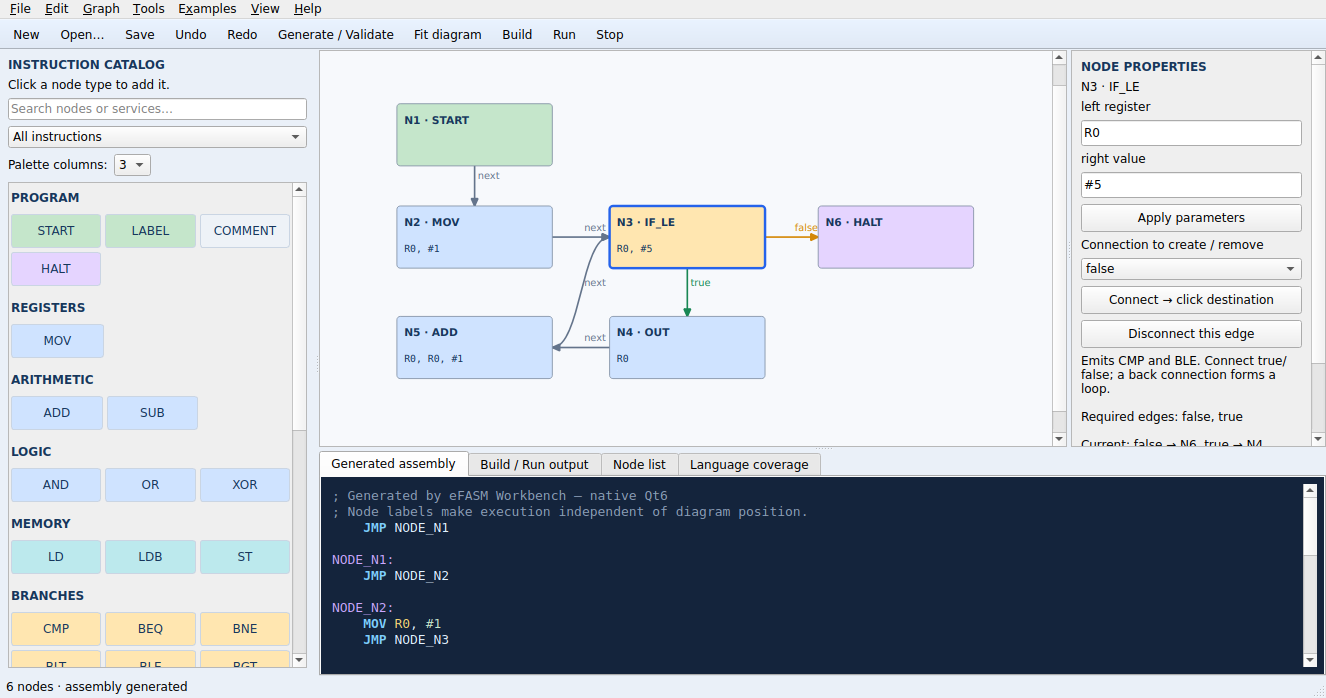
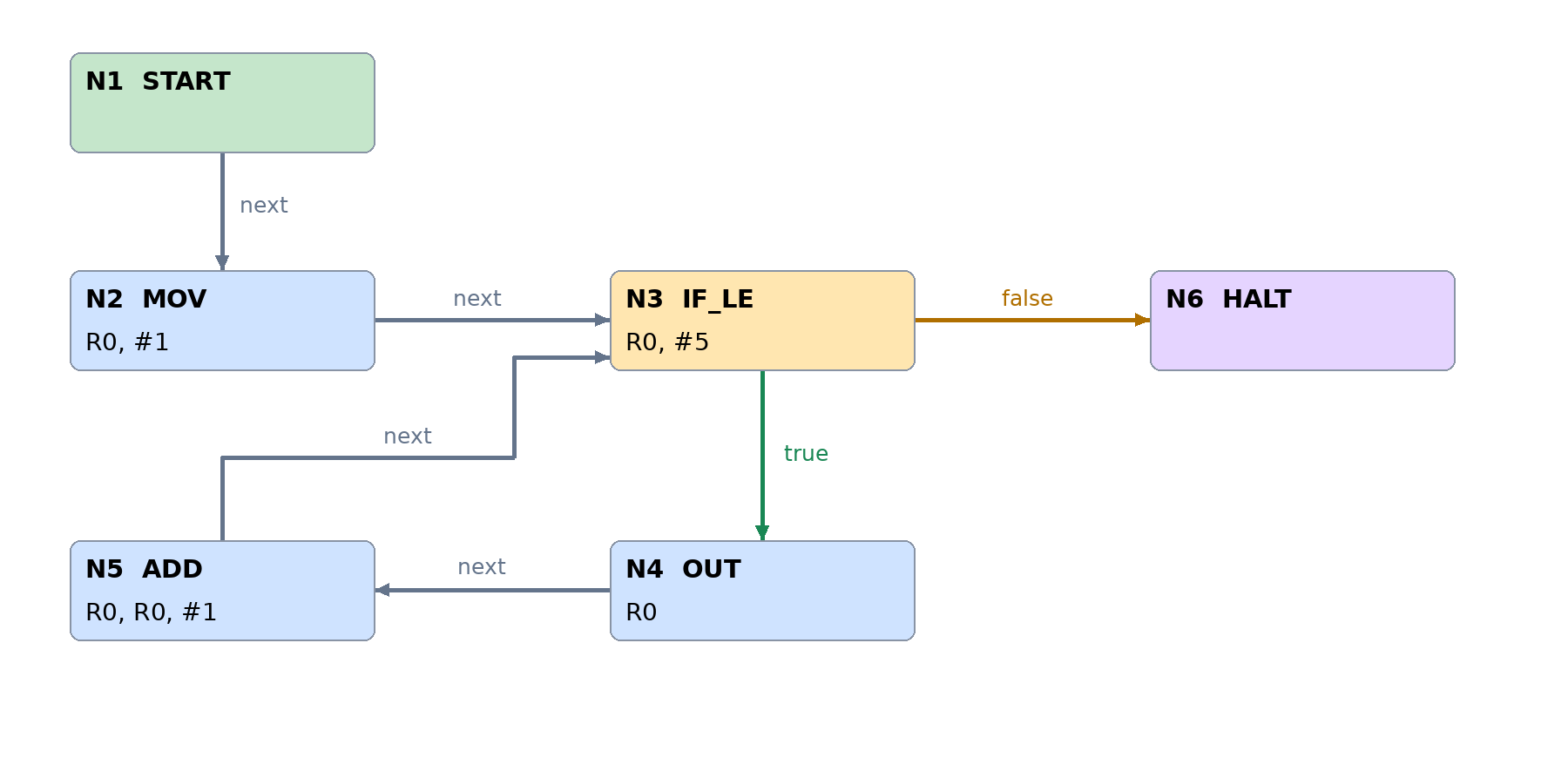
- Each node is one instruction (or a small group of them). The next, true, false and target connections say which node executes after it.
- IF_ nodes compare two values and branch on true or false. A connection back to an earlier node makes a loop.
- CALL uses its target connection for the procedure and next for the node after the return. RET returns using the stack and needs no connection.
- The generated assembly is exactly what is assembled and run. Moving a node changes only its position, never the program.
- A COMMENT node writes its text as a comment line in the assembly and then continues to its next node.
- Parameters follow EFASM: registers
R0toR7, immediates#-2048to#2047, memory as[R1]or[R1 + #4].
Controls that differ from the desktop edition
- Save and Save as download a file to your browser's download folder. A browser cannot overwrite the earlier file, so each save creates a new download. The editor also keeps your latest graph in this browser, on this device only.
- Open asks for a file through the browser's file picker. There is no recent-files list.
- There is no “Configure EFASM / EFVM” step. The assembler and the EFVM are built into the page.
- Run is Ctrl+Enter (F5 stays the browser's reload). F6 generates and validates. Undo and Redo are Ctrl+Z and Ctrl+Y (Cmd on a Mac).
- Pan the graph with the middle mouse button, with Space held while dragging, with the Pan button, or with the arrow keys while the graph has focus. Zoom with Ctrl+wheel, a trackpad pinch or the zoom buttons. Plain scrolling moves the page.
- While the graph has focus, Alt+arrow keys nudge selected nodes. The Node list tab lists every node and works from the keyboard.
- Diagram export produces SVG and PNG files. PDF export and printing of diagrams are not provided in the browser.
- Graph links to share are not provided. Share a saved
.efvgfile instead.
What the browser edition runs
- All 35 node kinds, 22 mnemonics and the ORG, DB and DZ directives are supported, and all 54 named SYS presets can be placed.
- A SYS preset places only the node. You set argument registers with MOV nodes. A service runs only if this browser host provides it; the Runtime support tab lists which ones do.
- Text output, memory services, a drawing screen and keyboard and mouse input over the screen are available. Storage, devices, tasks and windows are not.
- A nonzero ORG can be generated and exported but not run, because the assembler writes the program entry at word 0.
- Programs run inside your browser. Nothing you build is sent to a server.
Graph
The graph is empty. Click START in the catalog to begin.
next solidtrue solidfalse dashedtarget dotted
Screen
Keys and mouse over the picture go to the program (click it first).
The graph changed after this program was built. Run, Step or Reset builds it again.
Registers
Memory
Code click a row to set a breakpoint
| Node | Type | Parameters | Connections |
|---|
Learn the language and the editor
The browser editor reads and writes the .efvg project format (version 2) used by the desktop eFASM Workbench 0.4.0. The tutorial graphs below are the companion projects of the desktop edition 0.4.0 tutorial, each with its expected output.
- Manual and tutorial, desktop edition 0.4.0The EFASM language manual and the tutorial for the desktop edition 0.4.0 are being prepared for posting on this page. They describe the desktop application; the notes under How to use the editor cover the controls that differ in the browser.
Tutorial examples and expected results 35 graphs, each opens in the editor above
| Example | What it shows | Expected output | Exit |
|---|